

Table of Contents
Introduction: Which Starlink Dish Is Better for Sri Lanka?
If you’re considering satellite internet in Sri Lanka, the Starlink Mini vs Standard Gen 3 Kit comparison is worth understanding before you spend your money.
Both kits connect to Starlink’s low-Earth-orbit satellite network, but they’re designed with different priorities in mind.
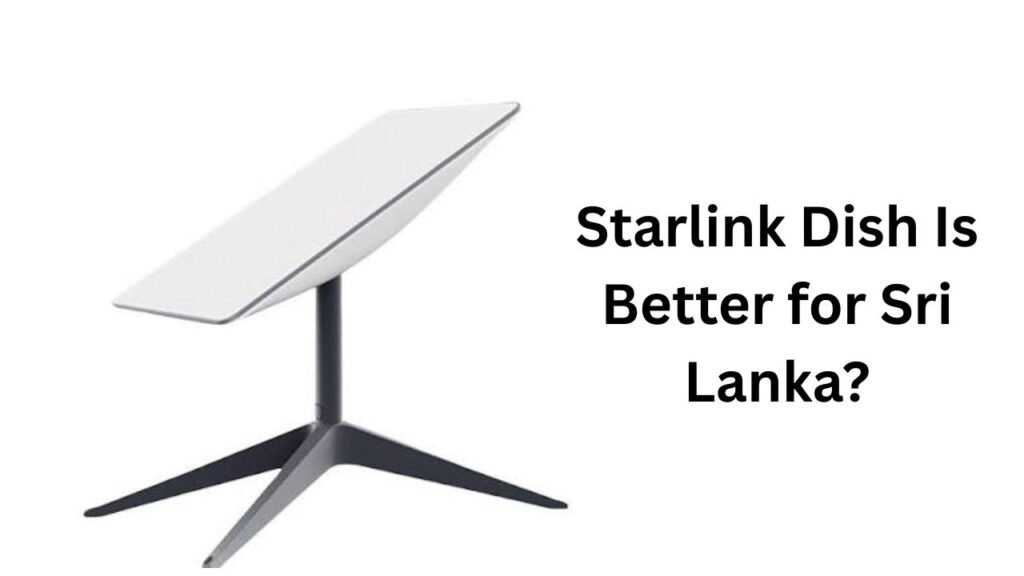
The Starlink Mini is compact, lightweight and portable. It has an integrated Wi-Fi router, uses substantially less power than the larger hardware and is designed for people who want a simple internet setup that can potentially travel with them. Starlink describes Mini as a compact kit for basic internet applications and lists coverage of up to 112 m² (1,200 ft²).
The larger Standard hardware is aimed more at demanding everyday home use. Starlink’s current Standard 4 X specification lists Router 3, Wi-Fi 6, tri-band 4×4 MU-MIMO and coverage of up to 297 m² (3,200 ft²).
So, which should you buy in Sri Lanka?
For a small household, apartment, temporary home or user who values portability, Mini can be an excellent choice.
For a larger family, bigger house, heavy streaming, gaming, work-from-home setup or many connected devices, the larger Standard kit is generally the stronger choice.
And there’s another important factor: power.
Starlink lists Mini’s average power use at roughly 20–40 W, while Standard 4 X is listed at approximately 75–100 W.
That difference can matter in Sri Lanka, particularly if you’re using an inverter, solar system or battery backup.
Let’s break down the differences.
Starlink Mini vs Standard Gen 3: The Quick Comparison
Before getting into the details, here’s the short version.
| Feature | Starlink Mini | Standard / Gen 3-style Kit |
|---|---|---|
| Main purpose | Portable/basic internet | High-demand home internet |
| Dish size | Compact | Much larger |
| Built-in Wi-Fi | Yes | Separate Router 3 |
| Wi-Fi generation | Wi-Fi 5 | Wi-Fi 6 |
| Wi-Fi bands | Dual-band | Tri-band |
| Maximum listed coverage | 112 m² / 1,200 ft² | 297 m² / 3,200 ft² |
| Ethernet | 1 port | 2 LAN ports |
| Average power | About 20–40 W | About 75–100 W |
| Portability | Excellent | Limited |
| Large-home suitability | Moderate | Excellent |
| Multiple-device use | Good | Better |
| Gaming | Good | Better suited |
| 4K streaming | Good | Better for multiple users |
| Power backup | Easier | Requires larger backup |
| Best for | Small homes/travel | Families/heavy users |
Starlink itself describes Mini as suitable for basic internet applications, while the larger Standard 4 X is intended for high-demand everyday activities such as streaming, video calls and gaming.
That’s probably the simplest way to understand the products.
What Is the Starlink Mini?
Starlink Mini is the smaller member of the Starlink hardware family.
Its biggest selling point isn’t simply its size. It’s the combination of:
- Small physical footprint
- Lower power consumption
- Built-in Wi-Fi
- Easy deployment
- Portability
- Satellite connectivity without traditional fixed-line infrastructure
The official Mini specifications list dimensions of approximately 298.5 × 259 × 38.5 mm and a weight of around 1.10 kg.
That’s dramatically smaller and lighter than the larger Standard hardware.
The Mini also has an integrated Wi-Fi router. That means you don’t need a separate Starlink router sitting inside your house.
That’s a big deal if you want a simple setup.
You place the Mini where it has a clear view of the sky, connect the power, configure it through the Starlink app and connect your devices.
Starlink says Mini can deliver speeds of up to 300+ Mbps under suitable conditions, although actual speeds aren’t guaranteed and will vary according to network and environmental conditions.
For many Sri Lankan users, that can be plenty.
If your household mainly uses:
- YouTube
- Netflix
- Google Meet
- Zoom
- Web browsing
- Online classes
- Remote work
you don’t necessarily need the largest Starlink dish available.
What Is the Standard Gen 3 Kit?
The term “Standard Gen 3” can be confusing because Starlink’s product naming has evolved.
Starlink previously documented a Gen 3 Router for Standard Gen 1 kits.
Today, Starlink’s specifications identify the larger residential system as Standard 4 X, which includes Router 3.
For the purpose of a Sri Lankan buying comparison, the important distinction is this:
The larger Standard system is designed for more demanding fixed-location home use, while Mini prioritizes compactness and lower power consumption.
The current Standard 4 X dish measures approximately 594 × 383 × 39.7 mm and weighs about 2.9 kg, or 3.2 kg with its kickstand.
It also comes with Router 3.
That router is much more capable than the Mini’s integrated Wi-Fi hardware.
Router 3 supports:
- Wi-Fi 6
- Tri-band operation
- 4×4 MU-MIMO
- Two Ethernet LAN ports
- Up to 297 m² coverage
- Up to 235 connected devices according to Starlink’s specifications
For a busy household, that’s a significant advantage.
Starlink Mini vs Standard Gen 3: Size and Portability
If portability is your priority, there’s really no contest.
Starlink Mini wins.
The Mini is designed to be carried.
You can put it into a backpack, transport it between locations and deploy it without dealing with a large dish and separate router.
Starlink specifically markets Mini as a portable solution.
This makes it attractive for people who:
- Travel around Sri Lanka
- Stay in rural areas
- Work remotely
- Have a temporary rental property
- Go camping
- Need internet at a holiday home
- Want backup connectivity
The larger Standard system is much more appropriate for a permanent home installation.
It’s not impossible to move it, of course, but its size, power requirements and separate router make it less convenient.
Mini’s Built-In Design
The Mini combines the satellite antenna and Wi-Fi functionality into one compact unit.
The larger system separates the dish and router.
That’s a classic trade-off:
Mini = simplicity and portability.
Standard = capacity and home networking.
Starlink Mini vs Standard Gen 3: Speed and Performance
Speed is probably the first thing most buyers want to know.
And this is where you need to be careful.
A bigger dish doesn’t automatically mean you’ll always get dramatically faster internet.
Starlink’s performance depends on factors such as:
- Network capacity
- Location
- Satellite availability
- Obstructions
- Weather
- Service plan
- Time of day
- Local network conditions
Starlink’s published specifications say actual service speeds and uninterrupted service aren’t guaranteed. Its general fixed-service documentation lists expected download speeds that vary by service package.
The Mini’s official product page says speeds can reach 300+ Mbps.
That’s already fast enough for most normal household activities.
But the larger Standard system is positioned by Starlink for high-demand everyday applications such as:
- Multiple 4K streams
- Video conferencing
- Gaming
- Large downloads
- Multiple users
- Heavy cloud applications
What Does This Mean in Sri Lanka?
If you’re one person using the internet, Mini could be more than enough.
If you have five or six people all using the connection simultaneously, the Standard system makes more sense.
For example:
One person could be watching Netflix.
Another could be on a Zoom call.
A third could be gaming.
Someone else could be downloading a large game.
Another person could be uploading files to Google Drive.
That’s where the larger system becomes attractive.
Wi-Fi Router Differences
This is one of the biggest differences that shouldn’t be overlooked.
Starlink Mini: Integrated Wi-Fi
The Mini includes built-in Wi-Fi.
Its official specifications list Wi-Fi 5, dual-band 2.4 GHz/5 GHz operation and 3×3 MU-MIMO. It also includes one Ethernet LAN port.
That’s perfectly reasonable for a compact satellite terminal.
But it isn’t the same class of home networking hardware as Router 3.
Standard: Router 3
The current Standard 4 X includes Router 3.
Starlink specifies:
- Wi-Fi 6
- Tri-band
- 4×4 MU-MIMO
- Two Ethernet LAN ports
- Up to 297 m² coverage
- Up to 235 devices
This makes the larger system much better suited to busy households.
Wi-Fi 5 vs Wi-Fi 6
Wi-Fi 6 can handle busy wireless environments more efficiently than older Wi-Fi generations.
That doesn’t mean every phone will suddenly become faster.
Your device also needs to support the relevant Wi-Fi standard.
Still, for a modern home with many phones, TVs, laptops, cameras and smart devices, Router 3 is the better networking solution.
Coverage: Which Starlink Dish Is Better?
Coverage is another area where Standard has a clear advantage.
Starlink lists Mini coverage at approximately 112 m² (1,200 ft²).
The current Standard 4 X Router 3 is listed at up to 297 m² (3,200 ft²).
That doesn’t mean you’ll always get those exact numbers.
Real-world Wi-Fi coverage depends on:
- Concrete walls
- Brick walls
- Floor construction
- Router location
- Furniture
- Interference
- House layout
- Distance
Sri Lankan homes can sometimes have thick masonry walls, which can make Wi-Fi coverage challenging.
So if your home has several rooms or multiple floors, the Standard setup has a major advantage.
Starlink also supports mesh networking with its compatible routers. Starlink recommends placing mesh nodes strategically between the primary router and weak-signal areas.
Power Consumption: A Major Sri Lankan Consideration
This is one area where Starlink Mini is the clear winner.
Starlink lists Mini’s average power usage at around 20–40 W, with idle consumption around 15 W.
For Standard 4 X, Starlink lists average power usage at approximately 75–100 W.
That’s a big difference.
Why Does Power Matter?
Sri Lankan users may want Starlink alongside:
- Solar power
- UPS systems
- Inverters
- Batteries
- Portable power stations
If your Starlink system needs 100 W instead of 30 W, your battery will run down much faster.
For example, as a rough illustration:
A 500 Wh battery could theoretically supply:
500 ÷ 30 ≈ 16.7 hours
at a constant 30 W load before losses.
At 90 W:
500 ÷ 90 ≈ 5.6 hours
Real-world runtime will be lower because inverter and battery losses matter.
So if you live somewhere with unreliable electricity and want Starlink as a backup connection, Mini can be particularly attractive.
Starlink Mini vs Standard Gen 3 for Sri Lankan Weather
Sri Lanka’s tropical climate introduces another consideration: rain.
Starlink is designed for outdoor use, but satellite internet can be affected by severe weather.
The current Standard 4 X specifications list:
- IP67 environmental rating
- Operating temperatures from -30°C to 50°C
- Wind operation at 96 km/h+
- Snow-melt capability up to 40 mm/hour
Snow obviously isn’t the key issue in Sri Lanka.
Rain is.
During heavy tropical rainfall, satellite links can experience performance degradation.
This is one reason you shouldn’t expect Starlink to behave exactly like Fibre during every weather condition.
The bigger lesson is simple:
Don’t judge Starlink solely by its best speed-test result.
Look at consistency over days and weeks.
Which Is Better for Gaming and Streaming?
For casual streaming, both can work well.
For example, Mini can easily make sense for a single user watching HD or 4K content.
But if multiple people are streaming at once, the larger Standard setup is the safer choice.
Gaming
Online gaming doesn’t require enormous download speeds.
Latency and stability matter more.
Starlink’s published service information gives typical fixed-service latency goals in the tens of milliseconds, but actual latency can vary by location and network conditions.
For casual gaming, Starlink can work well.
For competitive esports, however, Fibre may still be preferable where a good Fibre connection is available.
Streaming
Mini:
Good for: one or a few users.
Standard:
Better for: families and multiple simultaneous streams.
Starlink Mini for Rural Sri Lanka
This is where the Mini becomes particularly interesting.
Sri Lanka has areas where fixed broadband availability can be less convenient than in major urban locations.
Starlink’s Sri Lankan service is specifically marketed for connectivity in rural and remote areas beyond conventional coverage.
If you’re living somewhere with:
- Weak 4G
- No Fibre
- Poor ADSL
- Unreliable fixed broadband
- Limited ISP options
Starlink can provide another option.
And Mini’s lower power consumption makes it appealing for rural homes using solar power.
That’s a practical advantage—not merely a marketing feature.
Starlink Mini for Travel and Temporary Locations
If you rent a house or move frequently, Mini can be much more attractive.
The smaller dish is easier to carry and store.
Starlink also promotes Mini for use on the go and travel-related connectivity.
This could make sense for:
- Remote workers
- Freelancers
- Field workers
- Travelers
- Campers
- People with holiday homes
- Temporary accommodation
The larger Standard kit is better if you’re installing once and leaving it there.
Starlink Mini vs Standard Gen 3 Price and Value
Hardware price is important, but don’t make your decision based only on the initial purchase price.
You need to consider:
Hardware + monthly plan + electricity + accessories + installation + potential mesh equipment.
Sri Lankan retail prices can also vary depending on the seller, promotions, stock and whether you’re buying directly or through a local retailer.
For that reason, it’s better to verify the current official availability and service pricing directly through Starlink Sri Lanka.
Community reports from Sri Lankan users have mentioned Mini and Standard hardware prices and different service-plan experiences, but those are individual reports rather than official pricing and can become outdated quickly.
Don’t Buy Based on Hardware Price Alone
A cheaper Mini might appear to be the obvious bargain.
But if you have a large house and later need additional Wi-Fi equipment, the overall cost could become less attractive.
Likewise, buying a Standard system for a single person in a small house could mean you’re paying for capacity you don’t need.
Pros and Cons of Starlink Mini
Advantages
- Small and lightweight
- Highly portable
- Lower power consumption
- Built-in Wi-Fi
- Easy setup
- Suitable for small homes
- Useful with battery systems
- Excellent for travel
- One compact device
Disadvantages
- Smaller Wi-Fi coverage
- Wi-Fi 5 rather than Wi-Fi 6
- Less suited to very busy households
- Lower networking capacity
- Only one Ethernet LAN port
- Not the ideal choice for large houses
Starlink lists Mini’s coverage at 112 m² and supports up to 128 connected devices, although the number of devices you can connect isn’t the same as the number that can simultaneously receive excellent performance.
Pros and Cons of the Standard Gen 3-Style Kit
Advantages
- Better for larger homes
- Wi-Fi 6 Router 3
- Tri-band networking
- 4×4 MU-MIMO
- Two Ethernet ports
- Up to 297 m² listed coverage
- Better for many simultaneous users
- Stronger fit for gaming and streaming
- Better suited to permanent installations
Disadvantages
- Larger
- Heavier
- Much higher power consumption
- Less portable
- Requires a separate router
- Larger backup battery requirement
Starlink’s current Standard 4 X documentation positions the system for demanding everyday applications, including streaming, video calls and gaming.
Which Starlink Dish Should You Buy for Sri Lanka?
Here’s the practical recommendation.
Buy Starlink Mini if:
- You’re one or two people.
- You live in a small house or apartment.
- You need portability.
- You use solar or battery backup.
- You move between locations.
- Your internet usage is moderate.
- You don’t have dozens of connected devices.
- You want the simplest possible setup.
Buy the Standard/Gen 3-style system if:
- You have a family.
- You live in a large house.
- You need strong Wi-Fi coverage.
- Multiple people stream simultaneously.
- You work from home.
- You play online games.
- You have many smart devices.
- You want better Ethernet connectivity.
- You want the stronger Router 3 networking platform.
Starlink Mini vs Standard Gen 3: Which One Is Better Overall?
If we judge the products purely by performance and home networking, the larger Standard system wins.
If we judge them by portability, power efficiency and convenience, Mini wins.
So there isn’t one universal winner.
| Category | Winner |
|---|---|
| Portability | Mini |
| Size | Mini |
| Power efficiency | Mini |
| Small home | Mini |
| Large home | Standard |
| Wi-Fi performance | Standard |
| Multiple users | Standard |
| Gaming | Standard |
| Multiple 4K streams | Standard |
| Ethernet connectivity | Standard |
| Battery/solar use | Mini |
| Travel | Mini |
| Overall home performance | Standard |
For many Sri Lankan users, the decision is actually quite straightforward.
Small home + portability + low power = Mini.
Large home + many users + maximum home networking performance = Standard.
Frequently Asked Questions For This Topic
Is Starlink Mini available in Sri Lanka?
Starlink operates an official Sri Lankan service presence and lists Starlink Mini among its portable connectivity products. However, hardware availability, plans and ordering options can change, so customers should check the official Sri Lankan Starlink page before purchasing.
Is Starlink Mini slower than the Standard dish?
The Mini has a lower maximum advertised capability, with Starlink listing speeds of up to 300+ Mbps. The larger Standard system is intended for higher-demand everyday use. Actual speeds for either system vary depending on network conditions, location, obstructions and service plan.
Which is better for a family in Sri Lanka?
The larger Standard system is generally the better choice for a family because Router 3 provides greater Wi-Fi coverage and networking capacity. Starlink lists up to 297 m² of coverage for Router 3 in the Standard 4 X setup.
Is Starlink Mini good for a small house?
Yes. Mini is specifically designed as a compact solution and Starlink lists coverage of up to 112 m². It’s a strong option for apartments and smaller homes, assuming the dish has a suitable view of the sky.
Which Starlink uses less electricity?
Starlink Mini uses considerably less power. Starlink lists Mini at about 20–40 W average consumption, compared with approximately 75–100 W for Standard 4 X.
Final Verdict: Mini or Standard?
The Starlink Mini vs Standard Gen 3 Kit decision ultimately comes down to how you use the internet.
If you’re looking for a compact satellite internet system that uses less electricity, is easy to transport and provides enough performance for everyday browsing, streaming and remote work, Starlink Mini is the smarter buy.
If you’re setting up internet for a family home, want stronger Wi-Fi coverage, have many connected devices or regularly use gaming, video calls and multiple streaming services, the larger Standard system with Router 3 is the better choice.
For Sri Lankan buyers, there’s one more point worth remembering: don’t choose purely based on advertised download speed.
Look at the entire setup.
Consider your home’s size, the number of users, electricity availability, backup power, Wi-Fi requirements, portability and whether Fibre is already available.
In a small home with limited power, Mini can be a little powerhouse.
In a busy family home, the larger Standard system is the more sensible long-term investment.
And before placing an order, check the official Starlink Sri Lanka website for the latest hardware availability, service plans and pricing because these details can change over time.