
Table of Contents
Introduction
Knowing how to activate Dialog packages can save you time and help you choose the right mobile plan for your daily needs. Dialog offers a wide range of prepaid and postpaid packages covering mobile data, voice calls, SMS, social media, entertainment, and other services.
For many users, the easiest option is to dial a USSD code and follow the menu. Others prefer the MyDialog App because it provides a visual way to browse packages and manage an account.
Dialog’s official mobile pages currently show several types of packages, including Anytime Data Plans, Fun Blaster plans, Work & Learn plans, Unlimited Data options, Call Blaster packages, and other services. Package prices and offers can change, so it’s always wise to check the official Dialog website before making a payment or activation.
In this guide, you’ll learn the main ways to activate Dialog packages, how USSD activation works, how to use the MyDialog App, how to check active services, and what to consider before choosing a package.
Dialog Package Activation at a Glance
| Activation Method | Best For | What You Need |
|---|---|---|
| USSD | Quick activation | Dialog SIM |
| MyDialog App | Easy package browsing | Smartphone and internet |
| Direct Reload | Selected prepaid packages | Sufficient reload balance |
| Online Payment | Digital activation | Supported payment method |
| Star Points | Eligible users | Available Star Points |
| Dialog Website | Checking current plans | Internet connection |
| Customer Support | Activation problems | Dialog account details |
The most commonly used method for mobile packages is #678#. Dialog’s official pages list #678# as an activation method for several prepaid data and voice packages.
1. How to Activate Dialog Packages Using USSD
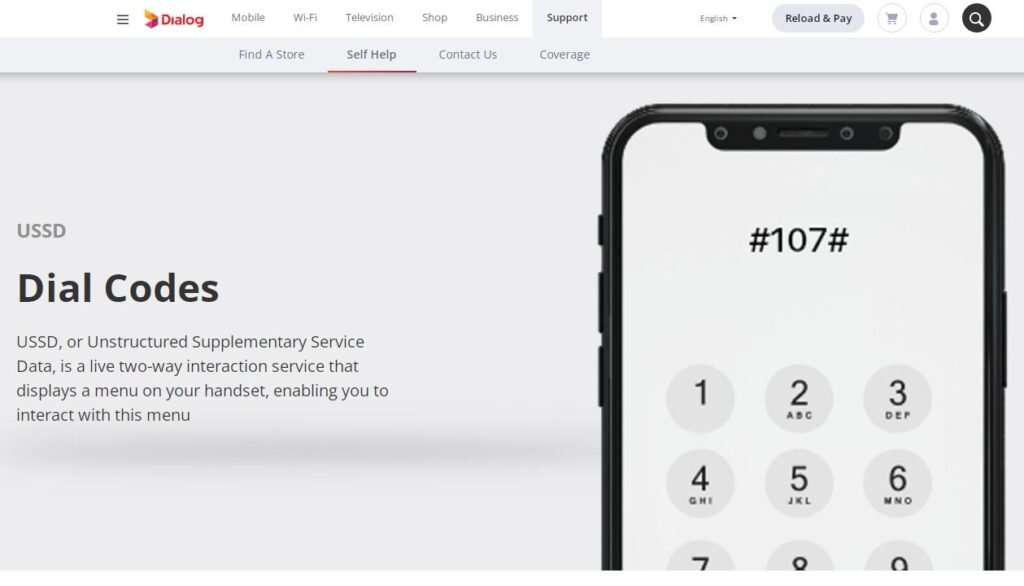
One of the simplest ways to activate a Dialog package is through the USSD menu.
You don’t necessarily need a smartphone or mobile data connection for this method. You can use the phone’s normal dialing screen to open the Dialog service menu.
Step-by-Step USSD Activation
Follow these general steps:
- Open your phone’s dialer.
- Dial #678#.
- Press the call button.
- Wait for the Dialog USSD menu.
- Select the relevant package category.
- Browse the available packages.
- Select the package you want.
- Confirm the activation.
- Wait for the confirmation message.
The exact menu structure can change depending on your connection and the package available at the time.
For example, Dialog’s current prepaid data information says customers can dial #678#, select Mobile Data Plans, and then select Anytime Data Plans.
Why Use #678#?
USSD activation is useful because it’s quick and doesn’t require you to browse a website.
It’s especially convenient when:
- Your mobile data has run out.
- You have a basic phone.
- You don’t want to install an app.
- You want to activate a package quickly.
- Your internet connection isn’t working.
However, always read the package details displayed before confirming the activation.
2. How to Activate Dialog Packages Using the MyDialog App
The MyDialog App is another convenient way to manage Dialog services.
With the app, users can browse available packages, check account information, view services, and activate eligible plans.
Dialog’s official package pages identify the MyDialog App as an activation method for several services.
Steps to Activate Through MyDialog
The general process is:
- Install and open the MyDialog App.
- Log in using your Dialog connection.
- Open the relevant package or service section.
- Browse available offers.
- Select your preferred package.
- Review the price and validity.
- Confirm the activation.
- Wait for confirmation.
The app can be particularly useful when you want to compare several plans rather than selecting the first available option.
Why the App Can Be Better
The app provides a more visual experience than a USSD menu.
For example, you may find it easier to compare:
- Data allowance
- Package price
- Validity
- Included services
- Monthly plans
- Add-ons
- Available promotions
Dialog also states that customers can use the MyDialog App to view active services and usage information.
3. How to Activate Dialog Data Packages
Dialog offers several categories of mobile data packages.
The right package depends on how you use mobile internet.
A light user may only need a small anytime data plan, while someone who watches videos or works online may require a much larger allowance.
Dialog’s current prepaid mobile data page lists packages such as 1.5 GB, 2.5 GB, 4 GB, 6 GB, 12 GB, 16 GB, 25 GB, 40 GB, 60 GB and 125 GB options, with different prices and validity periods.
Anytime Data Packages
Anytime data packages are designed for general internet usage.
Depending on the package, users can use their data for activities such as:
- Web browsing
- Social media
- Online services
- Video streaming
- Messaging
- Online learning
For example, Dialog currently lists a 2.5 GB Anytime Plan with 30-day validity and larger plans with higher data allowances.
How to Activate an Anytime Data Package
You can generally:
USSD method:
Dial #678# → Mobile Data Plans → Anytime Data Plans
Then choose the package and confirm the activation.
Dialog officially lists #678# as an activation method for its Anytime Data Plans.
4. How to Activate Dialog Voice and Call Packages
Not everyone needs a large internet package. If your main requirement is making calls, a voice package may provide better value.
Dialog offers Call Blaster plans with different combinations of minutes and SMS.
For example, its current prepaid page lists Call Blaster 198 with 250 any-net minutes and 250 any-net SMS, while Call Blaster 298 includes 400 any-net minutes and 400 any-net SMS. Both are shown with 30-day validity.
Ways to Activate Call Packages
Eligible prepaid customers can activate selected Call Blaster plans through:
- Reload
- MyDialog App
- #678# USSD
Dialog specifically lists these activation methods for its Call Blaster packages.
Choosing a Voice Package
Before activating a voice plan, think about how many calls you normally make.
A package may be useful if:
- You make frequent local calls.
- You regularly call different networks.
- You send many SMS messages.
- You want predictable monthly spending.
If you rarely make calls and mostly use WhatsApp or another internet-based service, a data package may be more suitable.
5. How to Activate Dialog Work & Learn Packages
Work & Learn packages are designed for users who need internet access for education, work, and selected online applications.
Dialog currently lists Work & Learn options that provide access to services such as Zoom, Google, Microsoft, YouTube, education applications and web browsing, depending on the specific plan.
How to Activate Work & Learn Plans
Dialog’s official instructions indicate that customers can use:
#678# → Mobile Data Plans → 4G Work & Learn Plans
The exact package options shown can vary.
Who Should Consider These Packages?
These plans may be useful for:
- Students
- Teachers
- Remote workers
- Online learners
- People attending virtual meetings
- Users working with cloud-based services
However, don’t assume every application is included. Some Work & Learn packages have restrictions on social media, streaming, gaming, VPN use, or other services. Always check the terms of the specific plan before activation.
6. How to Activate Dialog Packages by Reload
Some Dialog prepaid packages can be activated simply by reloading the required amount.
This is convenient when the package supports direct reload activation.
Dialog’s current prepaid page shows several packages with a Reload activation option.
Direct Reload Activation
The general process is:
- Check the package price.
- Make sure you’re using the correct Dialog connection.
- Reload the required amount.
- Wait for the activation confirmation.
- Check your package balance.
The important point is that not every reload amount automatically activates every package. The package must specifically support reload activation.
Therefore, check the current Dialog package page before relying on direct reload.
7. How to Use Star Points to Activate Dialog Packages
Dialog also provides certain package activation options through Star Points.
According to Dialog’s current package information, eligible customers can use Star Points through the relevant activation process. For example, Dialog’s Work & Learn information provides an SMS format for activating a listed package using Star Points.
Because the required amount and available offers can change, check your current Star Points balance and the instructions displayed by Dialog before proceeding.
8. How to Check Your Active Dialog Packages
Activating a package is only half the job. You should also know how to check which services are currently active.
This can help you avoid unwanted charges or accidentally activating a package twice.
Dialog states that customers can check active services through the MyDialog App or through the #678# menu.
Check Active Services Through USSD
The general Dialog instructions are:
- Dial #678#.
- Select the option for active services.
- Open the list of activated services.
- Review the services shown.
Dialog’s FAQ currently indicates that option 6 in the #678# menu can be used to view active services, with additional options for viewing the full list and charging information.
Remember that USSD menus may be updated, so follow the options displayed on your screen.
9. How to Check Dialog Data Usage
Checking your remaining data can help you decide when to activate another package.
You can use the MyDialog App to view account information, balances, bonuses, and usage details. Dialog also provides usage-related options through its USSD service.
Why Check Data Usage Regularly?
It’s easy to underestimate how quickly mobile data can be consumed.
Activities such as these can use significant amounts of data:
- HD video
- Video calls
- Large downloads
- App updates
- Cloud backups
- Social media videos
- Online gaming
If your data disappears faster than expected, check which services are consuming it before purchasing another package.
10. Prepaid vs Postpaid Dialog Packages
Dialog offers both prepaid and postpaid plans.
The best choice depends on your spending habits and how frequently you use mobile services.
| Feature | Prepaid | Postpaid |
|---|---|---|
| Payment | Usually before use | Monthly billing |
| Spending control | High | Depends on plan |
| Package flexibility | Often high | Plan-based |
| Suitable for | Occasional and regular users | Regular users |
| Monthly plans | Available | Widely available |
| Account management | App/USSD | App/USSD |
Dialog’s current mobile page includes both prepaid and postpaid offerings, including postpaid plans with voice, SMS, and data benefits.
Which One Should You Choose?
Prepaid can be a good option if you want to control how much you spend.
Postpaid may be more convenient if you use your phone heavily and prefer a recurring monthly plan.
There’s no single best choice for everyone. Your usage matters more than the name of the package.
11. What to Check Before Activating a Dialog Package
Before you press the confirmation button, check five important details.
Price
Make sure you know the total price of the package.
Data or Minutes
Check exactly how much data, talk time, or SMS is included.
Validity
A package lasting seven days isn’t equivalent to one lasting 30 days.
Restrictions
Some special packages only cover selected applications or services.
Renewal
Some plans may be recurring or automatically renewed. Dialog’s current postpaid and data package information includes plans that can renew according to their terms.
A few seconds of checking can save you from an unpleasant surprise later.
12. Dialog Package Validity and Expiry
Package validity is an important factor when comparing plans.
A package can provide a large amount of data but still be unsuitable if you can’t use it before it expires.
For example, Dialog’s current prepaid mobile data page lists different validity periods, including 14-day and 30-day plans.
What Happens When a Package Expires?
The exact outcome depends on the package terms.
Some plans may stop providing the package benefit when the validity ends, while normal usage charges or another active package may apply according to Dialog’s terms.
Always check:
- Expiry date
- Remaining balance
- Renewal conditions
- Excess usage charges
13. Dialog Packages for Heavy Data Users
Heavy data users usually need more than a small daily package.
If you frequently watch videos, work remotely, attend video conferences, or download large files, consider a plan with a larger data allowance.
Dialog currently provides large Anytime Data packages, including plans listed with 25 GB, 40 GB, 60 GB and 125 GB allowances.
However, bigger isn’t automatically better.
Consider your actual monthly usage. Paying for unused data isn’t a great deal.
14. Dialog Packages for Students and Remote Workers
Students and remote workers often have different requirements from casual mobile users.
A suitable plan may need to support:
- Online classes
- Video conferences
- Research
- Cloud applications
- Document sharing
- Educational websites
Dialog’s Work & Learn packages are specifically designed around several work and education-related applications, although individual plans have their own restrictions and conditions.
Before activating one, read the included services carefully.
15. Common Problems When Activating Dialog Packages
Sometimes a package doesn’t activate as expected.
Here are some common reasons.
Insufficient Balance
Your account may not contain enough credit to activate the selected package.
Wrong Package Menu
You may have selected a different category from the one you intended.
Package Not Available
Some packages are available only to specific customers or connection types.
Existing Package
A new package may interact with an existing package according to its terms.
Network or USSD Problem
Temporary technical issues can sometimes prevent successful activation.
If you don’t receive a confirmation message, don’t repeatedly activate the package without checking your account first.
16. How to Avoid Unexpected Dialog Charges
Unexpected charges can be frustrating, but there are a few simple precautions.
First, check your active services regularly.
Second, read the package conditions before activation.
Third, pay attention to automatic renewal terms.
Fourth, check whether your chosen package has excess usage charges.
Dialog’s FAQ explains that charges can include base package rentals, usage charges, value-added services, and applicable taxes.
If you’re unsure why your balance was deducted, review your active services and usage information through the available Dialog channels.
17. Official Dialog Package Information
Because mobile packages can change, unofficial websites may contain outdated information.
For the most accurate information, check Dialog’s official mobile package pages before activating a plan.
Check Dialog’s official mobile packages
Dialog’s official website currently provides separate information for prepaid plans, postpaid plans, data packages, and other mobile services.
This is particularly important when you’re searching for current prices, validity periods, promotions, and activation methods.
Frequently Asked Questions
What is the Dialog package activation code?
For many Dialog mobile packages, #678# is used to access the USSD menu. From there, customers can select the relevant package category and follow the displayed instructions. Dialog’s official pages currently list #678# for several mobile data and voice packages.
Can I activate a Dialog package without the internet?
Yes. USSD activation can be used for many eligible packages. Dial #678# and follow the available menu options. This is useful when you don’t have mobile data.
Can I activate Dialog packages through the MyDialog App?
Yes. Dialog lists the MyDialog App as an activation method for many packages and services. The exact packages available depend on your connection and the current offers.
How can I check my active Dialog services?
You can use the MyDialog App or the Dialog USSD menu. Dialog’s official FAQ explains that customers can use #678# to view active services and related account information.
Does every Dialog package have the same validity?
No. Validity depends on the individual package. Current Dialog plans include different periods, such as seven, 14, and 30 days, depending on the package.
Can I activate a Dialog package by reloading?
Some prepaid packages support activation through direct reload. Dialog’s current prepaid package pages show reload as an activation option for selected packages.
Conclusion
Learning how to activate Dialog packages is straightforward once you understand the available activation methods.
For many mobile packages, the quickest option is the #678# USSD menu. If you prefer a more visual experience, the MyDialog App provides another convenient way to browse and manage packages. Selected prepaid packages may also support direct reload or other activation methods.
The most important thing is to check the package details before confirming activation. Look at the price, data or call allowance, validity period, restrictions, and renewal conditions.
Dialog regularly updates its mobile offerings, so don’t rely on an old package list. For current prices and package availability, check the official Dialog website before activating a plan.
With the right package, you can better control your mobile spending and make sure you’re paying for the services you actually use.